
Video surveillance with analytics: what really works and where it goes wrong
Video analytics is often sold as “the camera will spot the thief by itself”. In practice a few functions work well, and each one only under three conditions: the camera is placed where it can see what matters, zones and rules are set up for the site, and someone is there to respond to an alarm. We go through what in video analytics really works, where it gets things wrong, where the processing runs and where alarms go.
What video analytics is
It is software that watches video instead of a person: it tells people and vehicles apart from branches, shadows and animals, watches lines and zones, counts and tags the recording for search. The operator does not stare at twenty screens but gets an alarm with a frame when something defined by a rule happens.
What really works
Perimeter: line and zone
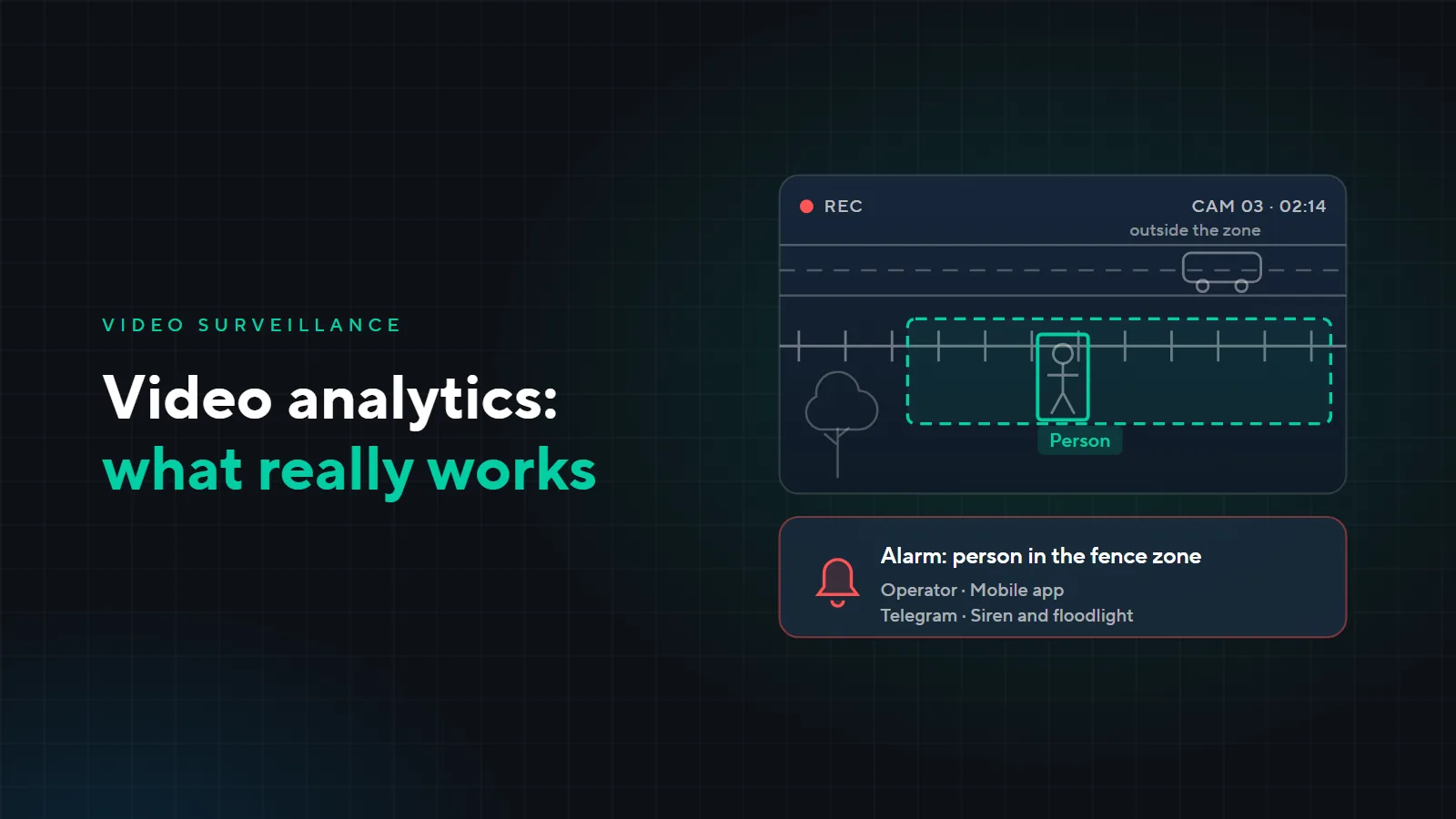
An alarm when a person or vehicle crosses a line along the fence, enters a zone or lingers in it. This is the main scenario for warehouses, car parks and yards at night. Modern analytics tells people and vehicles apart from other movement, so there are noticeably fewer alarms from branches and shadows than with a simple motion detector. It needs lighting at night and a camera that sees the whole line.
Archive search
Instead of hours of watching the recording, you set the time, the cameras and the attributes: person, vehicle, colour of clothing or vehicle, line crossing. The system shows the matching clips. Search usually works on the tagging that analytics does while recording: switched on today, it will not help you search yesterday's archive. That is why we decide this at the design stage, not after the first loss.
People and queue counting
How many visitors came in and out during the day, how many people are queuing at the till, where a crowd is gathering. Useful for shops, business centres and canteens. For accurate counting the camera is mounted above the entrance looking straight down: an ordinary overview camera in a corner counts worse.
Face recognition
Matching a face against a database: letting employees in, a list of unwanted visitors. It works when the camera is at face height in a passage where people walk straight towards it, and the light does not shine into the lens. A face image is personal data: the customer agrees the face database, retention periods and access rules with their own lawyer, and we set up the system according to those rules.
Licence plate recognition and barriers are covered separately in the article “Plate recognition and barriers”.
Where analytics gets it wrong
- False alarms. Branches, shadows, headlights on the road, rain, dogs. Most often the cause is not the analytics but the setup: a zone covering the whole frame and high sensitivity. With a stream of such alarms the operator soon stops looking at them.
- Poor angle and light. A camera under the ceiling or facing a window will not recognise a face or make out details, however good the analytics. The analytics task decides where and how the camera is mounted.
- An alarm with no response. Analytics reports, it does not detain. If nobody receives the alarms or knows what to do, the system is useless. We decide in advance who receives an alarm and what they do.
- A “smart” camera instead of a design. Analytics in the camera will not help if cameras were placed without a design: the fence is not fully visible, the gate is in a blind spot, the archive is too short. Design the system first, then the analytics.
Where the analytics runs
Analytics can run in the camera itself, in the video recorder or on a separate server. We choose where at the design stage, based on the task and the number of cameras.
| Where | Good for | Limits |
|---|---|---|
| In the camera | line and zone on individual cameras, for example along the fence | capabilities depend on the camera model |
| In the recorder | analytics for cameras without their own, archive search on site | a recorder has a limited number of analytics channels |
| On a server | many cameras, faces, people counting across the whole site | needs a separate server, which we size to the number of cameras and the tasks |
Where alarms go
- To the operator's desk. An alarm with a frame and video on the security monitor.
- To the mobile app. A notification with a frame on the responsible person's phone.
- To Telegram. A message with a frame, for example to the director or the head of security.
- Siren and light on site. The alarm immediately switches on a siren or a floodlight, and the intruder knows they have been seen.
How we set it up
- 1Task
- 2Cameras and angle
- 3Zones and rules
- 4Fine-tuning
First we decide what the analytics should do and who receives the alarms. Based on that we choose camera positions and angles, then draw the zones and lines and set the rules. After launch we look at the first alarms and fine-tune the zones and sensitivity until false ones become rare.
Example: a warehouse with a yard
A fictional warehouse: a fenced yard, a gate, a car park, a loading ramp and a security post. The analytics was set up like this:
| Task | What was set up | What was adjusted after launch |
|---|---|---|
| The yard at night | a line along the fence, alarms only for people and vehicles | the line was moved away from the road: headlights of cars outside the fence were triggering alarms |
| The gate out of hours | a zone at the gate, the alarm switches on a floodlight and a siren | the zone was narrowed so it does not react to the guard on patrol |
| Loading | archive search by vehicles at the ramp | the camera above the ramp was lowered and turned to see the truck body |
| Security post | alarms on the operator's monitor, a copy in Telegram to the head of security | a procedure was written down: who goes out to check and whom they call |
This warehouse does not need people counting or face recognition: analytics is switched on for the task, not all at once.
How much it costs
The price depends on the number of cameras, the analytics tasks and where the processing runs: in the cameras, the recorder or on a server. We name it after surveying the site; the survey is paid. How many cameras you need and how much archive, we cover in the article “CCTV: how many cameras and how much archive you need”.
Want to know which analytics your site needs? Leave a request: we will call back, ask about your tasks and arrange a survey. See more of our work on the “Low-voltage systems” page.