
Video surveillance for warehouses and offices: how many cameras and how much archive you need
A video surveillance system is usually chosen by the number of cameras and the price per unit. But when a system lets you down, the reason is different. The archive lasts 11 days instead of 30. Recording stops when the power goes out. Parts of the system were installed by different contractors in different years, and nobody can make sense of it anymore. Here is how we plan video surveillance for commercial sites: warehouses, hotels, factories, sports complexes.
- 14 or 8 MP cameras
- 2Switch with power over Ethernet (PoE) and a UPS
- 3Recorder and archive disks
- 4Security desk and phone
How many cameras you need
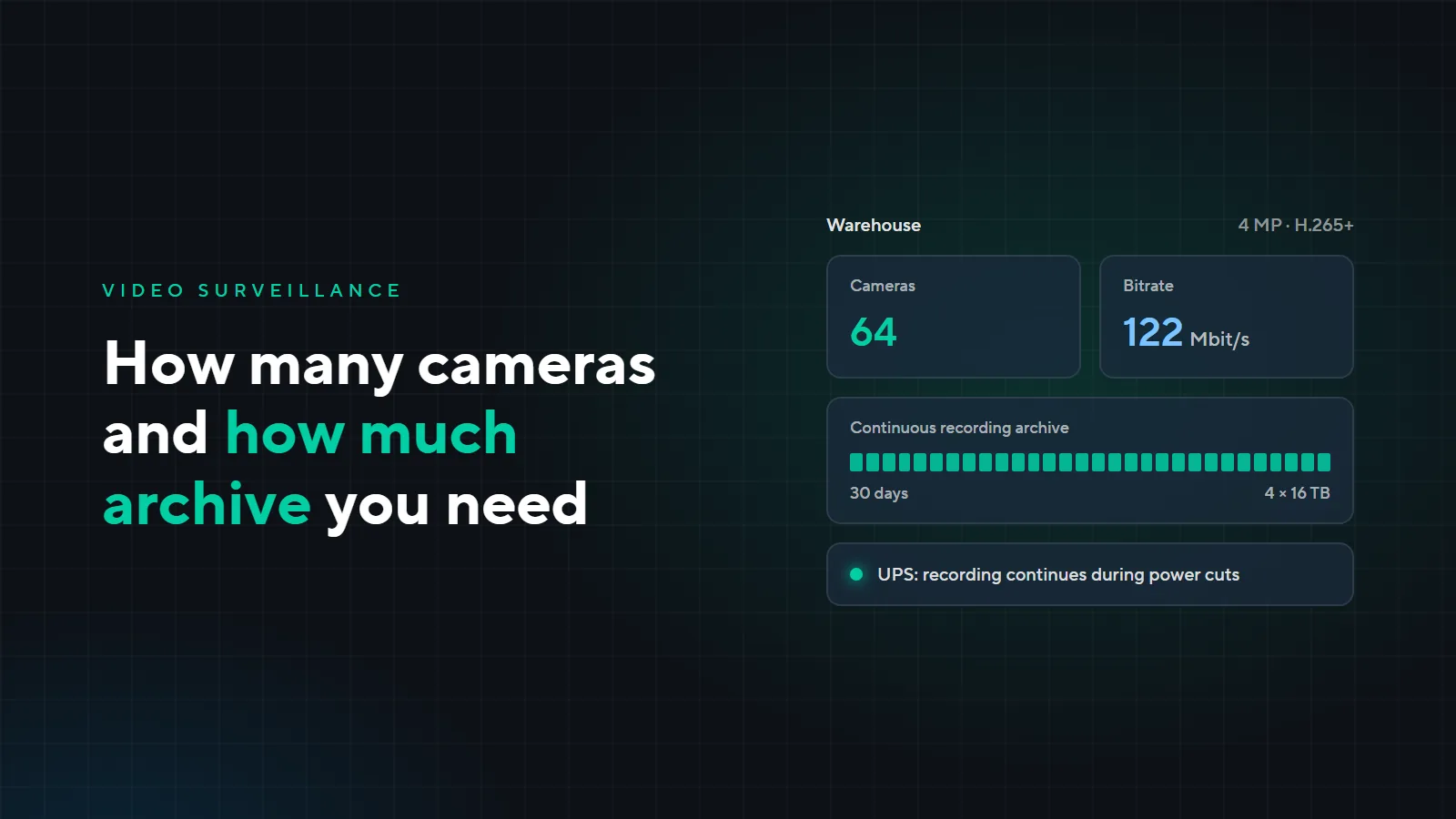
The number depends on the layout and on what you need to see: entrances and driveways, loading areas, cash desks, storage of valuable goods, the perimeter. An office usually needs about 32 cameras. For a warehouse it depends on how dense the racking is; most often 64 cameras are enough.
An example: a three-storey building with a cafe and offices, 1,940 m², five levels including the roof. The floor plans called for 46 cameras:
| Area | Cameras |
|---|---|
| Kitchen and storerooms | 14 |
| Cafe hall and entrance | 12 |
| Corridors and lobbies | 8 |
| Terrace and roof | 6 |
| Perimeter | 6 |
Which resolution to choose
4 MP is the most versatile option for indoor areas and most outdoor ones. We use 8 MP in open areas where you need to make out details at a distance.
We work with Hikvision most often: we like its network approach and the quality of the equipment. But we also install other brands when the project, a franchise or the client requires it.
How much archive you need
We usually recommend 30 days of continuous recording, and 90 days for sites with special requirements.
We do not set up motion-only recording. Its depth depends on how much movement there is on site: in a quiet month the archive is enough, in a busy one old footage is overwritten early. You find out when you need the footage.
We turn on H.265+ compression on every camera and check the settings of each one: depending on them, a single camera's bitrate can grow several times over.
Archive size is the number of cameras × bitrate × number of days. A 4 MP camera with H.265+ records about 0.62 TB in 30 days on average, a bitrate of about 1.9 Mbit/s. About 15% of disk space also goes to system data. Calculate it for your site:
- Total bitrate
- 60.8 Mbit/s
- Disk space needed
- 23.2 TB
- 0.7 TB per day
- Disks, at least
- 3 × 8 TB
- 2 × 16 TB
Estimate: 15% of disk space goes to system data. The actual bitrate depends on the scene and camera settings, so after launch we check the real archive depth.
A mistake in this calculation is expensive. An example from our practice: an educational institution, two branches, 361 cameras. The client's specification asked for a 30-day archive, and their price table had 20 disks of 8 TB. The total camera bitrate is 1,100 Mbit/s, or 11.88 TB per day, so these disks would have lasted 11.4 days. A real 30 days takes 28 disks of 16 TB. Replacing the disks later would have cost more: recording stops and the crew travels to both branches again.
The calculation is always an estimate: the actual bitrate depends on the scene and settings. After commissioning we check the real archive depth, not just the calculated one.
What people forget
- Uninterruptible power. Without a UPS a power cut means a gap in the recording, and the recorder risks damaging the archive. Cameras are powered by switches, so every switch node needs a UPS too; without it the whole group of cameras on that node goes dark.
- Power over Ethernet. Every switch has a power limit. Outdoor cameras with infrared lighting draw almost twice as much as indoor ones. In one project a node of eight outdoor cameras needed 92 W while the switch provided 61 W. Some cameras on that node would not have started, or would have switched off at night when the lighting turns on. This is checked by calculation before purchasing, not during commissioning.
- Lightning protection in open areas. Lightning surges along the cable are a typical cause of failed cameras and switch ports.
What it costs
Our estimate as of November 2026: 4 MP cameras, 30 days of continuous recording, equipment, installation and setup on a turnkey basis, including tax. Equipment prices are from a distributor's price list as of October 3, 2026; labor is at our 2026 rates.
| Office, 32 cameras | Warehouse, 64 cameras | |
|---|---|---|
| Equipment | ≈ 500 thousand som | ≈ 1.04 million som |
| Labor | ≈ 190 thousand som | ≈ 445 thousand som |
| Total | ≈ 0.7 million som | ≈ 1.5 million som |
| Per camera | ≈ 21–22 thousand som | ≈ 23 thousand som |
| Archive | 4 × 8 TB, ≈ 41 days | 4 × 16 TB, ≈ 41 days |
The estimate does not include 220 V power lines, an aerial lift for cameras mounted above 4 m (common in warehouses), restoring finishes, or an operator workstation, which costs about 115 thousand som. The exact price comes from a site survey.
The main mistake: building the system piece by piece
The system gets installed in parts: cameras at the entrance one year, the warehouse the next, the perimeter a year later, each time by a different contractor. You end up with different recorders, different passwords and not a single diagram, and nobody is responsible for the system as a whole. Cutting corners on labor and equipment quality leads to the same result. A system like that cannot be managed.
How a project runs
- 1Design
- 2Rough-in installation
- 3Finish installation
- 4Commissioning
- 5Support
Every site has its own timeline. For a restaurant the whole path from design to handover fits into 45–60 days. A factory can take several years if sections are brought online one at a time.
After handover
We can take the site on for full support: scheduled visits, cleaning the cameras, checking fields of view, disks and the actual archive depth. The warranty covers manufacturing defects, but not a dirty dome or a knocked-off angle, and these are usually discovered at the moment the footage is needed. If you have your own specialist, we will hand the system over with documentation and training and keep helping.
Need a video surveillance plan for your site? Leave a request: we will survey the site and prepare a design. See more of our work on the “Low-voltage systems” page.