
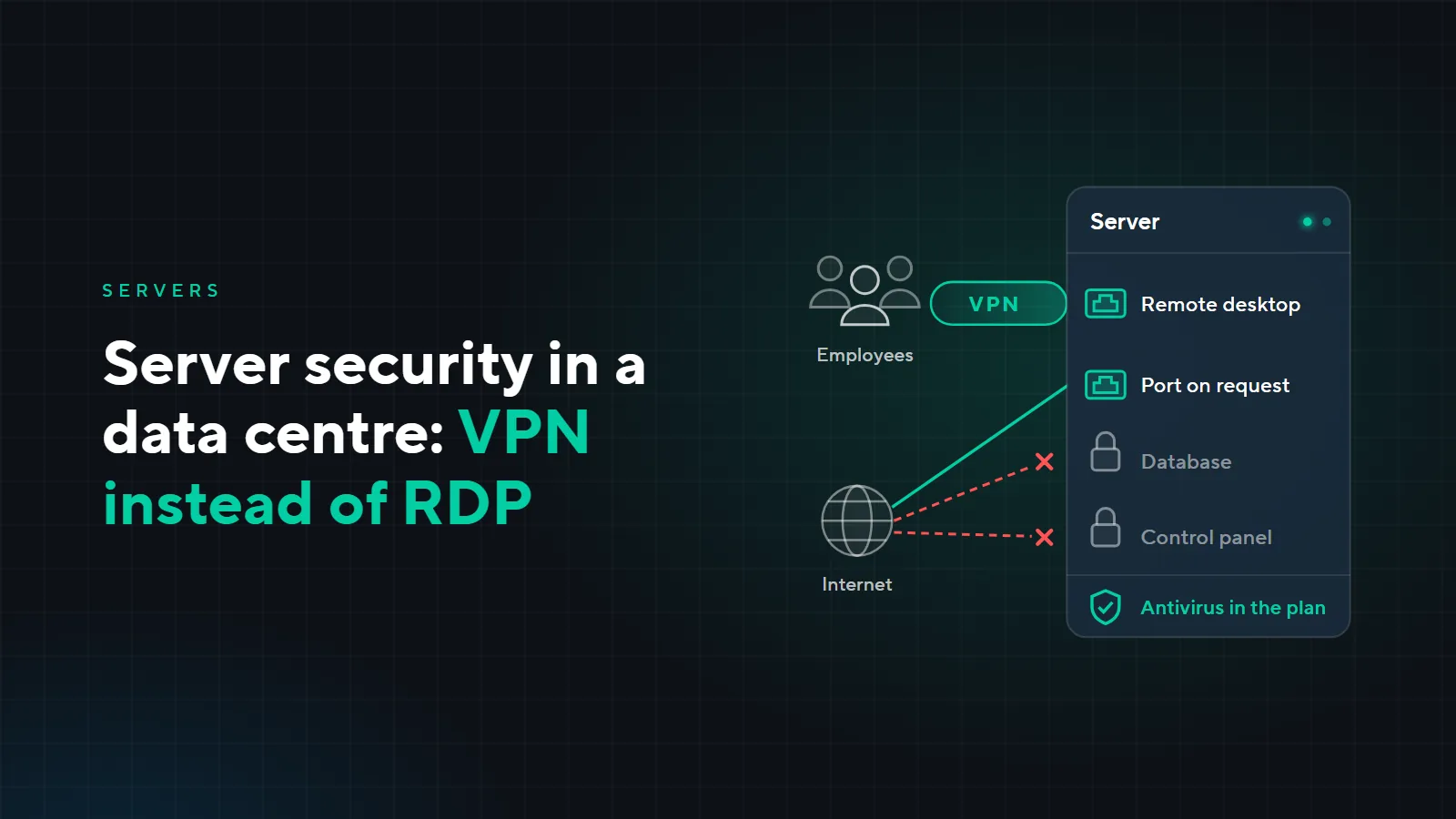
Server security in a data centre: VPN instead of open RDP, ports and DDoS
A server in a data centre is better protected from fire, power cuts and overheating than a server in an office storeroom. But it is not the data centre walls that protect it from a break-in, it is the settings: who connects to it and how, which ports are open, who still has access. We go through the four most common threats, what we do, what stays on your side and when you need DDoS protection.
Four common threats
Password guessing on remote desktop
If Remote Desktop (RDP) is open to the internet, it gets found automatically and its passwords are guessed around the clock. One simple password of one employee is enough. That is why RDP on our servers works only through a VPN: it is not visible from the internet, and only people with VPN access can connect. What this looks like on a diagram, we show in the article “Server rental: 8 questions”.
Ransomware
Ransomware encrypts the 1C database and files and demands a ransom. Most often it comes in through an open RDP or from an employee's infected computer. The VPN and closed ports shut the first route, and antivirus on the server helps with the second. The last line of defence is a backup the ransomware cannot reach. How to set one up, we cover in the article “Backups: the 3-2-1 rule”.
Unneeded open ports
A port was opened for a while: for a contractor, to set up an exchange, for a test. The task was finished long ago, but the port stayed open, and through it the internet can see a database, a control panel or an old service without updates. We open ports only on request and for a specific task; the rest are closed.
Access left for people who have left
An employee has left, a contractor has finished, but their account and VPN keep working. Worse still is a whole department working under one account with a shared password: then you cannot cut off one person without changing the password for everyone. That is why each employee has their own account with rights for their work, and we disable people who leave at your request.
What we do
- VPN. Employees connect to the server through a VPN; remote desktop is closed to the internet.
- Ports on request. We open a port for a specific task, for example a bank exchange or a website; the rest are closed.
- Accounts and rights. A separate account for each employee, rights only to what they need for work, disabling on request.
- Antivirus. Runs on the server and is included in the plan.
- System updates. We install updates regularly if this is in the contract terms.
Who is responsible for what
Part of the protection stays on your side: no server settings will help if the VPN password is written on a sticky note by the monitor.
| Task | Who | What exactly |
|---|---|---|
| Access to the server | us | VPN for employees, remote desktop closed to the internet |
| Ports | us | opened at your request for a task, the rest are closed |
| Accounts | us | one per employee, rights according to their work |
| Antivirus on the server | us | included in the plan |
| System updates | us, if in the contract | installed regularly under the contract terms |
| People leaving | you | tell us right away who has left or finished work, and we disable their access |
| Passwords | you | employees do not share passwords or keep them in plain sight |
| Employee computers | you, or us under a support contract | antivirus and updates on the computers that connect to the server |
If nobody looks after the office computers, you can hand them over to our support; more in the article “SLA-backed technical support”.
DDoS protection
A DDoS attack floods a server or a channel with requests, and the service stops responding. We select DDoS protection for the task on request. It is needed first of all by services that are open to everyone on the internet: a website, a customer account area, order intake. If the server runs only 1C for employees through a VPN, what matters most for it is closed ports and the VPN, and we discuss DDoS protection when services open to everyone appear.
Example: a company moves 1C out of the office
A fictional company of 20 people: 1C on a server in the office, employees working from home, a 1C contractor connecting remotely. Before the move to the data centre, the survey found the following:
| What the office had | The risk | What it became in the data centre |
|---|---|---|
| RDP forwarded to the internet for working from home | password guessing and ransomware | employees connect from home through the VPN |
| Database port open for the contractor | the database is visible from the internet | the port is closed, the contractor works through the VPN with their own account |
| Accounting works under one account | you cannot cut off one person or tell who did what | everyone has their own account |
| The former accountant's account still works | someone no longer at the company has access to the database | disabled; when people leave, the company sends us a request |
| System updates not installed for a long time | known vulnerabilities stay open | updates are in the contract and installed regularly |
How the 1C move itself goes without stopping work, we cover in the article “Moving 1C to a data centre without downtime”.
How much it costs
The VPN, ports on request, accounts and antivirus are included in the server rental plan; the plans are on the “Server rental” page. Regular system updates and DDoS protection are under the contract terms, and we name their price after a call.
Want to check how well your server is protected now? Leave a request: we will call back, explain what changes when you move to a data centre and choose a plan.